


OxideSieve - DustClear
4.23.00 Reviews
App Specs
- Version
- 1.0.2
- Updated On
- License
- Free
- Downloads
- 10,000+
- Developer
- SAVOY SL
- Categories
- Tools
- Platform
- Android
Screenshots
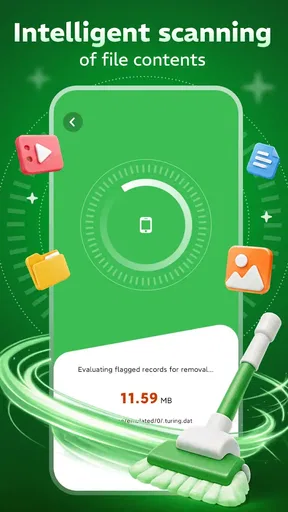
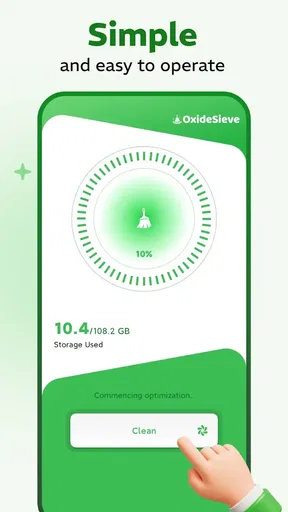
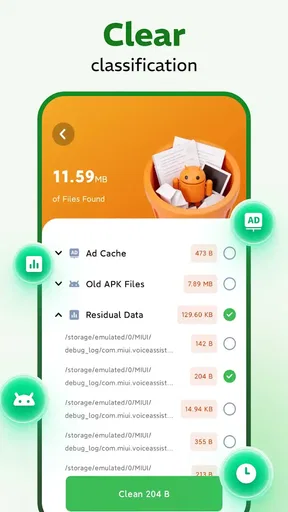
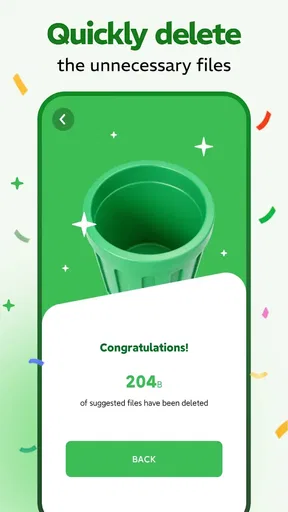
 Analysis by AppCompare
I approached OxideSieve - DustClear as a small, focused tool rather than a full phone-maintenance suite. Its purpose is easy to understand: help refine and filter storage so the device feels less cluttered. That narrow aim is also what makes it interesting. Instead of trying to become a file manager, backup service, privacy dashboard, and battery monitor at the same time, it concentrates on one everyday problem: deciding what deserves space on your phone.
In my experience, storage tools are most useful when they reduce hesitation. The difficult part is rarely finding that a phone is full. The difficult part is knowing which files are safe to remove, which ones should be kept, and which ones need to be moved elsewhere first. OxideSieve - DustClear is best viewed as a helper for that decision-making process, not as a magic button that can replace a careful cleanup habit.
The app belongs to the Tools category and is free to use. It comes from SAVOY SL, carries an Everyone age rating, and has reached over ten thousand installs. Its average score is 4.2 from roughly forty ratings, which suggests a generally positive early response without making the app feel universally proven. It was released on August 3, 2026, and the current version is 1.0.2, so I would approach it as a young utility that may still be developing.
Starting with a safe storage-cleanup routine
My recommended first session is deliberately slow. I would open the app when I have enough time to inspect what it presents, rather than launching it in the middle of an urgent download or just before taking photos. The first useful goal is not to remove as much as possible; it is to establish a baseline. I want to understand which parts of my storage are creating pressure and whether the suggested cleanup targets are genuinely disposable.
That distinction matters because “old” does not always mean “unnecessary.” A forgotten document may be important, an offline video may be needed during travel, and a duplicate-looking image may be the only copy with the right crop. I would treat every proposed removal as a decision point. A storage filter is valuable when it makes review easier, but the final responsibility still belongs to the person using the phone.
A practical baseline workflow is to begin with obvious temporary material, then move toward larger personal files. Temporary clutter is usually easier to judge than photographs, recordings, or downloaded documents. Once the low-risk material has been reviewed, I would examine large files individually and ask three questions: do I recognize this, can I replace it, and do I need it on this device today?
This approach also gives me a useful before-and-after comparison without turning the process into a race. If the phone feels more manageable after a modest cleanup, there is no reason to keep deleting. In fact, stopping early is often the smarter result. The best storage utility is not the one that removes the most; it is the one that helps me recover useful space without creating regret.
Worth Reading Before You Choose

Flipboard Shows What News Apps Must Do Beyond the Feed

Switching to Android Auto Means Rethinking Your Driving Routine

Google Calendar Makes a Crowded Week Easier to Manage

Ludo King Makes the Most of the Minutes Between Plans

Baby Panda World Brings Quick Play to Modern Phones, but Its Game Library Feels Busy

ESPN’s Live Game View Makes Following Close Games Easier
One everyday example is a phone used for work and family photos. After several months, the device may contain exported images, messaging attachments, screenshots, and multiple copies of the same document. I would use OxideSieve - DustClear to identify candidates, but I would first preserve the originals I care about and check that important files exist in their intended location. Only then would I approve cleanup. That sequence is slower than tapping through everything, but much safer.
What I would review before confirming removal
I pay particular attention to context. A file name can be vague, and a thumbnail can be misleading. If the app groups material for inspection, I would open enough examples to recognize the pattern before applying any broad action. A group of similar images might contain genuine duplicates, but it might also include edited versions, screenshots with useful information, or photos that look alike while capturing different moments.
I would also avoid cleaning immediately after downloading something important. Giving new files a little time to settle makes it easier to distinguish an intentional download from forgotten clutter. This is a small habit, but it prevents the common mistake of treating recent activity as disposable simply because it has not yet been organized.
Another useful habit is to clean in short sessions. Ten careful minutes every so often is more realistic than waiting until the phone becomes difficult to use. Short sessions also reduce decision fatigue. When I notice that I am approving items without looking, I stop. That is a sign that the process has become risky, regardless of how much storage remains.
Settings and choices worth checking first
With a focused utility such as this, I would inspect every available setting before relying on it regularly. The important question is not how many controls appear on screen, but whether the app lets me control the boundary between review and removal. Any option that changes what is selected, how results are grouped, or whether confirmation is required deserves attention.
I would favor a review-first setup. Automatic selection can be convenient, yet it is less reassuring when personal media is involved. A setting that keeps the final approval in my hands is more valuable to me than a faster cleanup that hides the details. If there is a choice between scanning broadly and focusing on specific storage areas, I would begin narrowly and expand only after understanding the results.
It is also worth checking how the app behaves when storage is nearly full. A tool may be easier to use before the phone reaches its limit, because the operating system itself can become sluggish when there is very little free room. I would run a first pass while the device still has enough working space, then use the app as part of maintenance rather than waiting for an emergency.
Version 1.0.2 is another reason to keep expectations practical. Newer utilities can change their organization and behavior as they mature. After an update, I would revisit the settings instead of assuming that my previous choices still apply exactly as before. This is not a criticism of SAVOY SL; it is simply a sensible routine for any relatively new storage tool.
The minimum operating-system requirement is Android 8.0. That makes the app accessible to many older Android phones, which is especially relevant because aging devices often need storage management more urgently than new ones. Still, compatibility does not guarantee an identical experience on every handset. Manufacturer file systems and built-in storage tools can affect how useful a third-party cleaner feels in practice.
Faster patterns for repeat users
Once I understand the app’s normal results, I would create a repeatable order rather than starting from scratch each time. My preferred pattern is: scan, inspect the largest or clearest candidates, remove only what I recognize, then rescan mentally rather than repeatedly pressing buttons. The purpose is to make the process predictable, not to maximize the number of actions.
I would separate maintenance from recovery. Maintenance is a quick review performed before storage becomes a problem. Recovery is what I do when a phone cannot install an update or save new media. In maintenance mode, I can be selective. In recovery mode, I may need to prioritize large, replaceable files first, such as downloads I can obtain again. Keeping those two situations separate helps me avoid panic-driven deletion.
A useful advanced habit is to treat categories differently. Personal photos and recordings deserve individual review. Re-downloadable files can be judged by convenience and current need. Old documents should be checked for work, school, tax, travel, or legal relevance before removal. The app may help surface the material, but this classification is where experienced use makes the biggest difference.
I would also use a staging rule: before deleting anything that matters, move or copy it to the place where I actually intend to keep it. A file is not safely preserved merely because I remember seeing it somewhere else. If I cannot explain where the replacement copy lives, I would not remove the original yet.
For households sharing devices or for people who switch between work and personal use, a scheduled mental checklist is more effective than random cleaning. For example, I might review screenshots after completing a project, downloads after a trip, and messaging attachments after confirming that important conversations are preserved. These triggers are more reliable than waiting for a low-storage warning.
Shortcuts can also mean physical shortcuts in my routine rather than special app features. I keep the phone connected to a charger, close unrelated tasks, and review one type of material at a time. That reduces interruptions and makes it easier to notice an incorrect selection. I would not assume that a hidden gesture, automatic schedule, or background process exists unless the app clearly presents it.
Where a focused filter helps, and where it stops
The main strength of OxideSieve - DustClear is its narrow identity. If I want help sorting storage clutter, a focused tool can feel less distracting than a large “phone booster” application filled with unrelated dashboards. That simplicity may appeal to someone who wants a clear cleanup task without learning an entire ecosystem.
Its limitation is the same. Storage refinement is not the same as backup, synchronization, file organization, or device repair. If my real problem is that important photographs exist in only one place, I need a backup strategy, not just a cleaner. If I need to rename folders, browse archives, or move files between services, a conventional file manager may be the better choice. If I want automatic photo optimization, the tools built into my cloud or gallery service may fit more naturally.
I would also be cautious about expecting dramatic results from every scan. A phone can feel cluttered even when the removable material is modest, and a large amount of occupied storage may belong to apps or system data that a utility cannot simply erase. The value of the app is therefore partly organizational: it helps me make better choices about accessible files, but it cannot turn every occupied byte into safe free space.
Privacy is another practical consideration. Any storage utility needs an appropriate level of access to inspect files, so I would read the permission prompts carefully and install it only from a source I trust. I would not grant unrelated access merely because the app is useful. A careful user should understand what the phone is asking before beginning a scan, particularly when personal images and documents are involved.
People who want a single tap that guarantees a completely clean phone may be disappointed. I would skip this app if I am unwilling to review files or if my main need is automated backup. I would also prefer the phone maker’s own storage manager when it already provides the exact filtering and safety checks I need. A third-party tool earns its place when its workflow is clearer or more convenient for my particular cleanup habits.
My verdict after adopting a repeatable habit
For me, OxideSieve - DustClear makes the most sense as a controlled inspection tool. I would recommend it to someone whose Android phone gradually accumulates downloads, screenshots, duplicate media, and forgotten attachments, especially if that person wants to make the decisions manually. The free price removes an obvious barrier to trying it, while the Everyone rating makes its intended audience broad.
I would not recommend treating it as a substitute for backups or as permission to delete without checking. The strongest results come from combining the app with a simple habit: review storage before it becomes urgent, preserve important originals, and use the tool to narrow the list of candidates. The real benefit is safer, more deliberate cleanup—not blind deletion.
The early rating of 4.2 from around forty ratings is encouraging, and the install count shows that the app has begun to find an audience, but I would still keep my expectations measured because it is a young product. My experience-based advice is to start with a small, low-risk cleanup, learn how its results are presented, and only then include more personal files in the routine.
In the end, OxideSieve - DustClear is a reasonable choice for people who want a dedicated storage-refinement utility and are comfortable staying involved in the process. It is less suitable for anyone seeking a complete digital housekeeping system. Used patiently, its focused approach can turn an intimidating storage warning into a manageable review; used carelessly, no filtering app can protect me from deleting something I should have kept.
Pros
- Simple interface makes core cleaning tools easy to locate.
- Can help identify large files taking up unnecessary storage.
- Useful for occasional maintenance on older Android devices.
- Clear scan results make it easier to review items before removal.
- Lightweight design should have a limited impact on device resources.
Cons
- Cleaning suggestions may require careful review to avoid deleting needed files.
- Results can vary depending on Android version and device manufacturer.
- Some features may be limited or supported by advertising.
- It may not noticeably improve performance on newer phones.
- Automatic cleanup options could be too limited for advanced users.
FAQs for OxideSieve - DustClear
What is OxideSieve - DustClear used for?
OxideSieve - DustClear appears to be designed as a dust-cleaning or device-maintenance utility, helping users identify and remove unnecessary files that may occupy storage space. Before downloading, check the app’s current description and supported features carefully, because cleaning tools can differ in whether they remove temporary files, duplicate content, cached data, or other unwanted items.
Is OxideSieve - DustClear safe to install and use?
As with any cleaning application, users should review its developer information, permissions, privacy policy, and recent store reviews before installation. A trustworthy cleaner should clearly explain why it needs access to storage or other device functions and should not request unrelated permissions. Downloading only from the official Google Play Store or Apple App Store is also recommended.
Can OxideSieve - DustClear improve my phone’s performance?
A cleaning tool may help when your device is running low on storage, particularly by removing temporary files or identifying content you no longer need. However, it cannot guarantee a major speed improvement, and modern Android and iOS systems already manage many background processes automatically. Review every suggested item before deleting anything important.
Does OxideSieve - DustClear delete personal photos, videos, or documents?
The answer depends on the app’s scanning and deletion options. Before confirming a cleanup, carefully inspect the categories and files selected by OxideSieve - DustClear, especially duplicate photos, downloads, media folders, and large documents. Keep a backup of valuable content and avoid granting automatic deletion permission unless you fully understand what will be removed.
Is OxideSieve - DustClear free, or does it require a subscription?
Pricing can vary by platform and may change over time. Check the official store listing to see whether OxideSieve - DustClear is free, supported by advertising, or offers premium tools through in-app purchases or a recurring subscription. Read the trial and cancellation terms before starting any paid plan, and confirm the purchase account used on your device.


